Datalot

Comfort Inn Parking Match

01
Netpark · Inventory export
All open tickets · CSV export
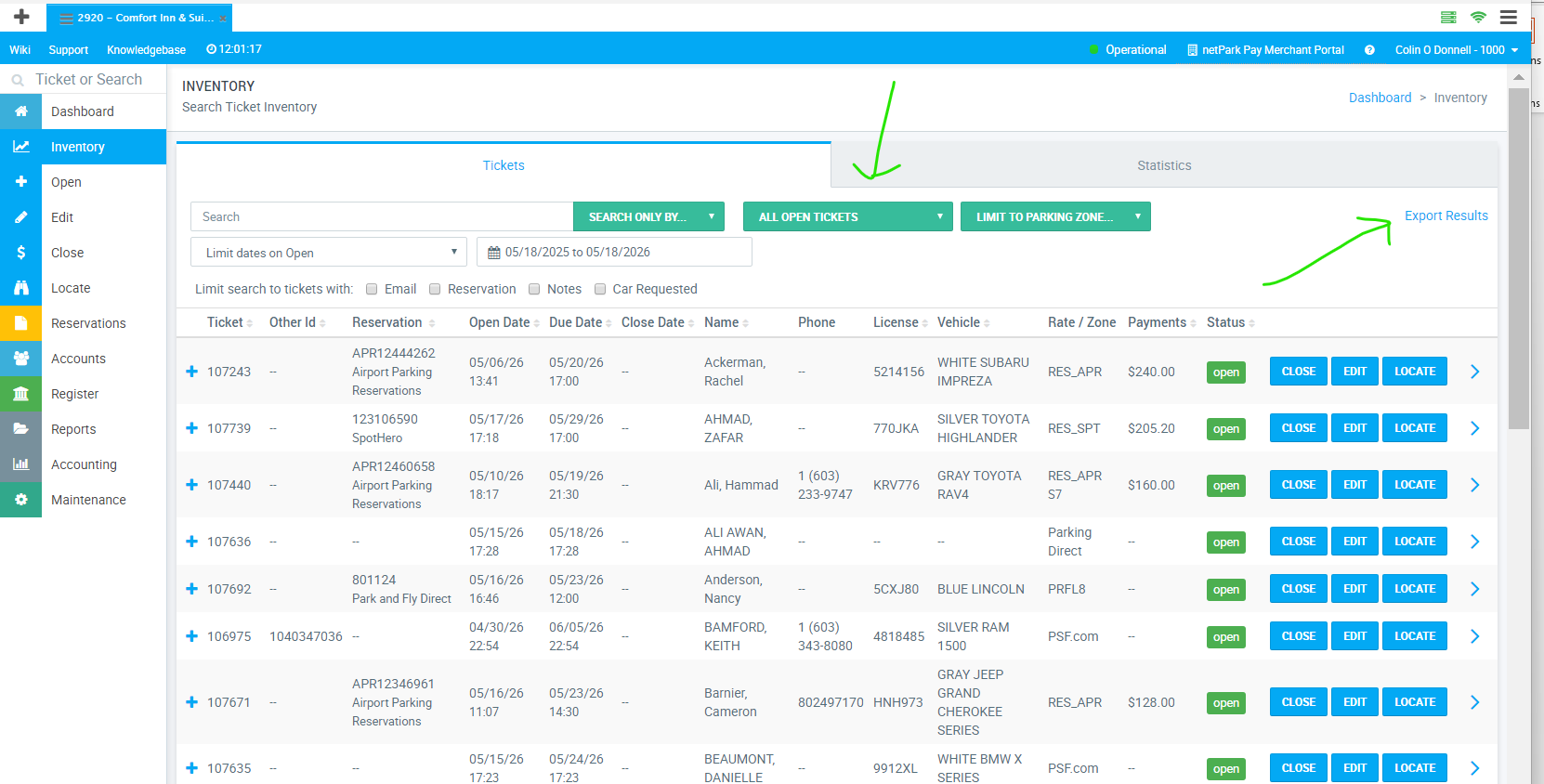
  1. Open the left-side menu and select Inventory.
  2. From the middle green dropdown choose All Open Tickets.
  3. In the top-right click Export Results and save the CSV.
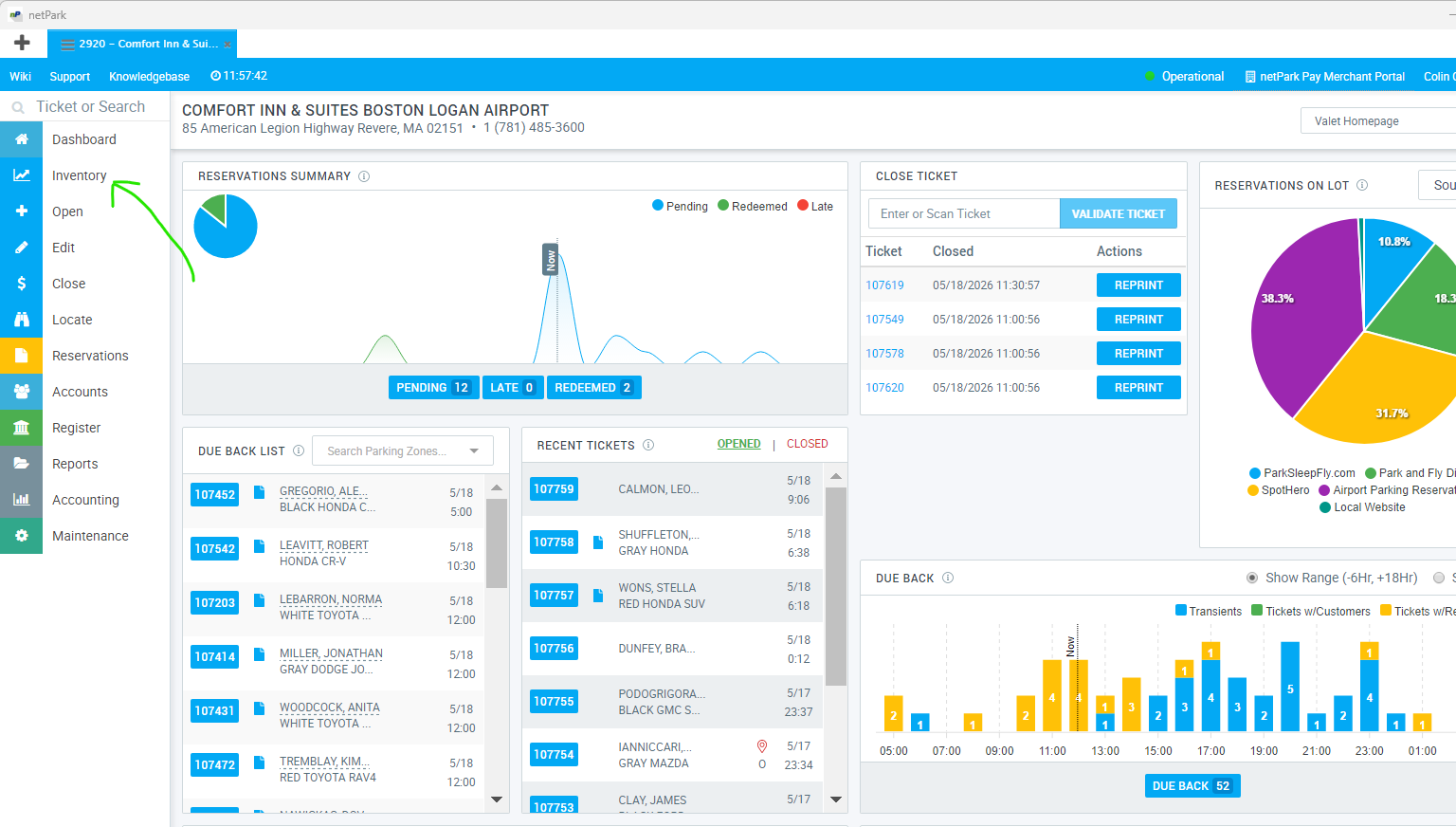
Netpark left menu — Inventory All Open Tickets dropdown
02
PMS / CHA · In-house list
Tonight's guests · CSV export
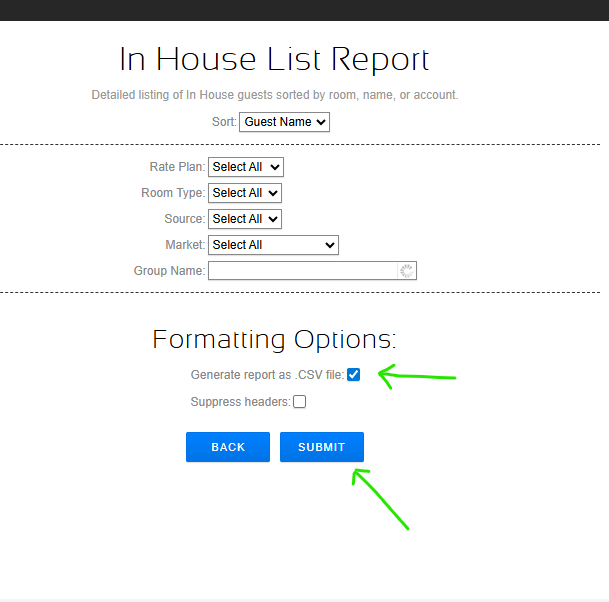
  1. From the Choice Advantage top menu open Run → Reports.
  2. Select the In House List report.
  3. Tick Generate report as a .CSV file and click Submit.
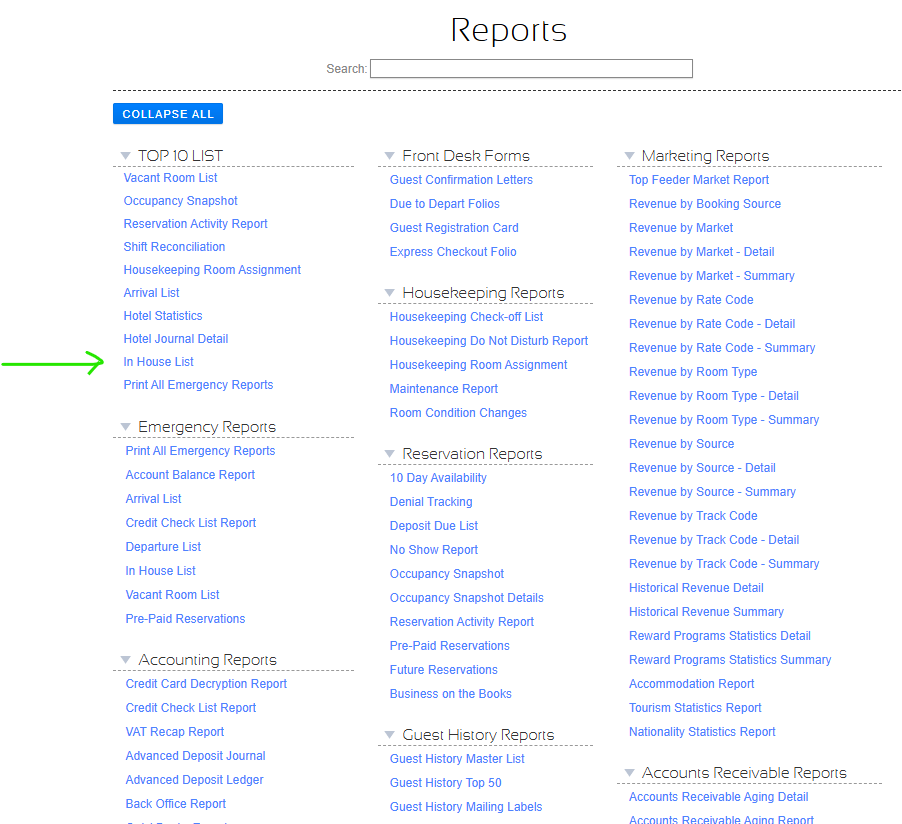
Choice Advantage Run > Reports menu In House List report selection
03
PMS / CHA · Journal detail
Hotel journal detail · CSV export
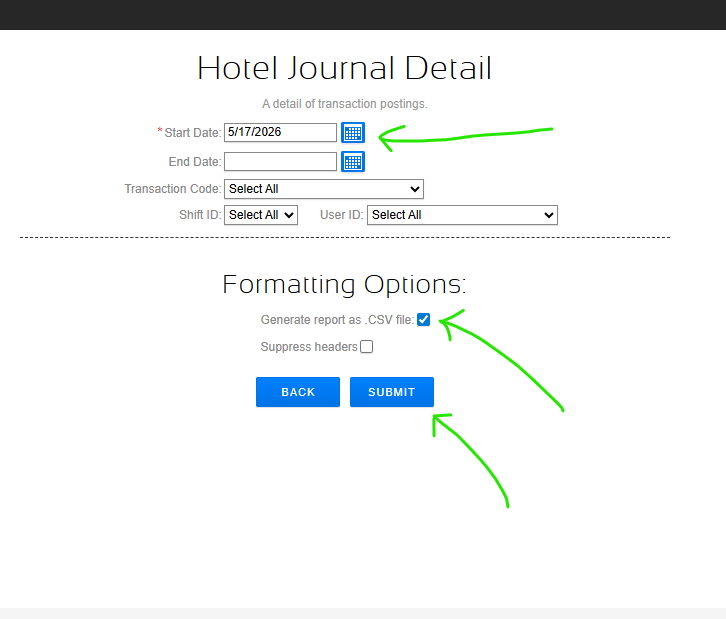
  1. From the same reports screen open Hotel Journal Detail.
  2. Set the Start Date to the previous date (confirm the audit has run).
  3. Tick Generate report as .CSV file and click Submit.
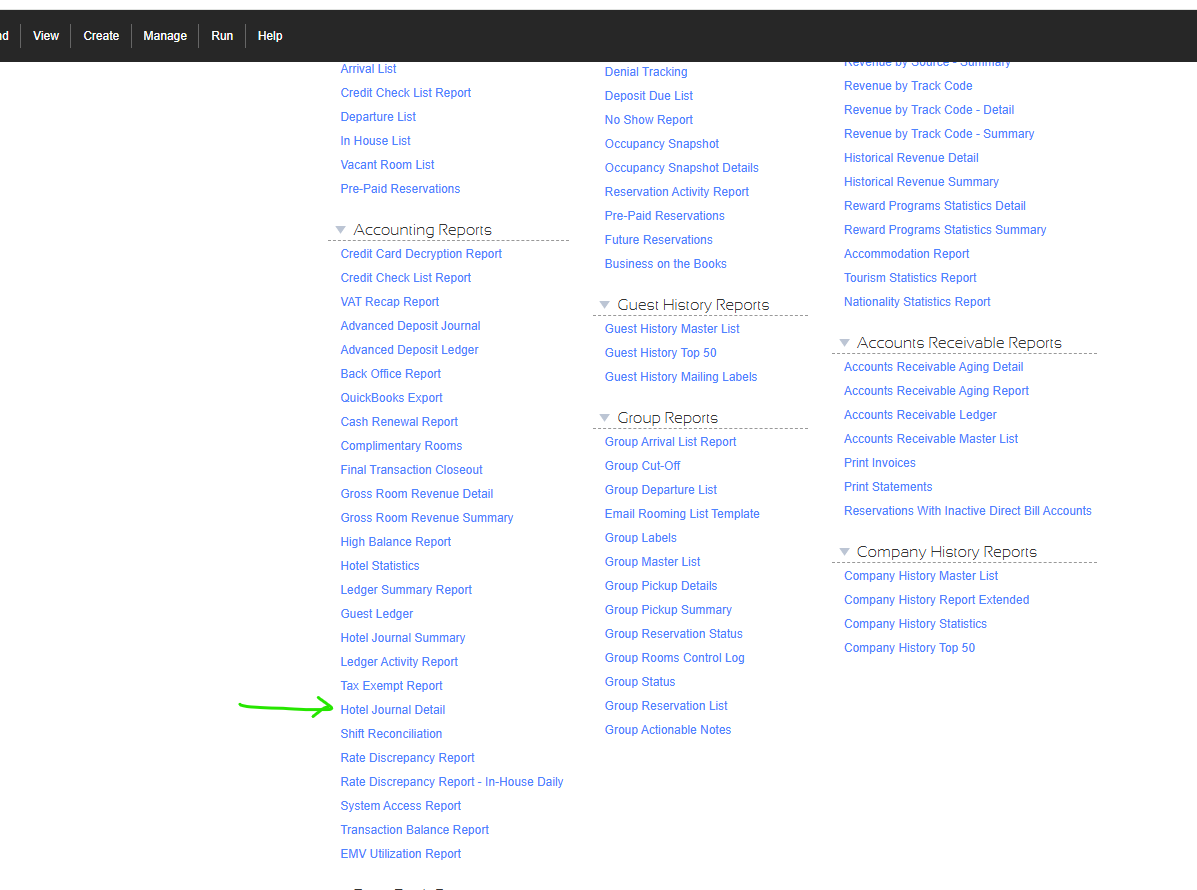
Hotel Journal Detail options Hotel Journal Detail submit confirmation
Today's reports 0/3 staged
Pull these after the night audit completes.
01
Netpark
Inventory export
All open tickets · CSV
Export from Netpark Inventory → View export steps
Empty
02
PMS / CHA
In-house list
Tonight's guests · CSV
Run → Reports → In House List → View export steps
Empty
03
PMS / CHA
Journal detail
Hotel journal detail · CSV
Reports → Hotel Journal Detail → View export steps
Empty
Drop all three CSVs here at once
The matcher will classify each file by its header row — slot order doesn't matter.
Awaiting files Stage all three CSVs to enable matching.